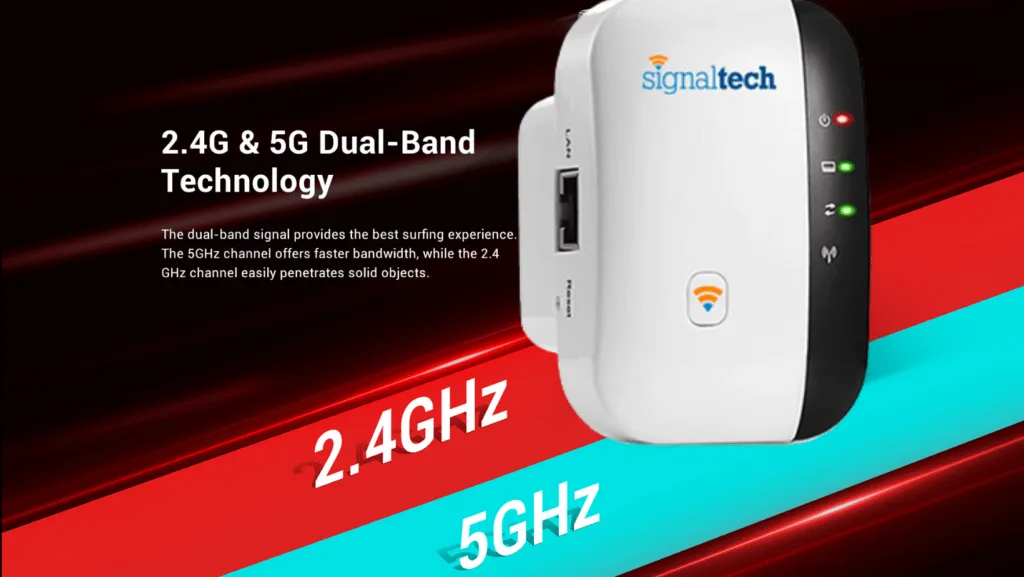
SignalTech WiFi Extender Setup is Simply based on Plug and Play Procedure. SignalTech WIFI Booster is a Signal Band WIFI Booster which helps customer to boost their Home WIFI (2.4Ghz). The SignalTech WIFI booster is the Reliable and cheapest WIFI Extender in the market. It Delivers 300Mbps speed to your streaming devices, gaming console, and other infotainment devices. Generally, it works with 802.11 a/bg/n/ac standard routers, Access points, gateway modem, and public networks.
⚡ Quick Answer: SignalTech Technical Specifications
| Default IP Address | 192.168.10.1 |
|---|---|
| Default Web Portal | myrepeater.net |
| Default Username | admin |
| Default Password | admin |
| Factory Reset Duration | Hold reset button for 10 seconds |
| Default WiFi SSID | SignalTech_xxxx / Wireless-N |
| Frequency Bands | 2.4 GHz Single-Band (300 Mbps) |
Let’s discuss how to setup your SignalTech WIFI Booster
SignalTech WIFI Range Extender Installation
The SignalTech WIFI Extender Installation is using WPS method (WIFI Protected Setup). Here is Step by Step Procedure.
- Firstly, plug the extender nearby your router, so that you can access Router and the SignalTech Booster at the same time.
- Wait for the SignalTech Booster to power ON.
- Once you see the Power Light Steady, Procced for the next step.
- Now make sure your router has WPS Button on it. Usually, the WPS button located at the Backside of your Router.
- Now, once you found the WPS button, Press it first on your router and within 2 minutes on your SignalTech WIFI Booster. On the SignalTech WIFI Booster, the WPS is on the Front.
- Wait for 2 minutes, once the 2nd light indicates the Router turned ON, that means your Extender is Successfully connected to your router.
- If the WPS connection failed, the possible reason is WPS was Disabled on the Router Settings. Cross-check and repeat the process.
If you don’t how to unable the WPS on your Router, then skip to URL Based Setup Procedure.
SignalTech Extender Setup using http://Myrepeater.net
This is a URL Based extender setup. Follow the Step by Step process.
- Plug the SignalTech Extender into the power outlet and for the Extender to boot up.
- Now connect your computer/Cellphone with the SignalTech Extender and Lunch a Web Browser.
- In the Address, bar type Http://myrepeater.net or 192.168.11.1 and hit Enter. A Login screen will appear.
- In the Username and Password, you need to type “admin” and “admin”. It’s case sensitive password, so make sure you put the same.
- After successful login, you can choose between the option “Access Point” or “Repeater mode”.
- Choose the desired mode and click Next. On the next screen, it will ask for WiFi to which you want the SignalTech Extender to be connected( In case of Repeater mode).
- Type the password for the WIFI and click connect.
- You’ll see a Successfully Connected message on the screen.
If you are unable to access the Setup page for SignalTech Extender, Try RESET the Extender and follow the steps again. For more details or support visit Myrepeater-net.com or call on our Technical Support Helpline Number.